Feature · Connection offers and export limits
New export limit or a different inverter, back with the DNO in about a minute.
DNO asking for a lower export limit, or you need to change the inverter, before they approve? Amend the application they already have. Make the change, CLRD generates the new SLD, and the corrected application goes back on the same thread with the G100 forms it needs.
First job free. No card to start.
What it is
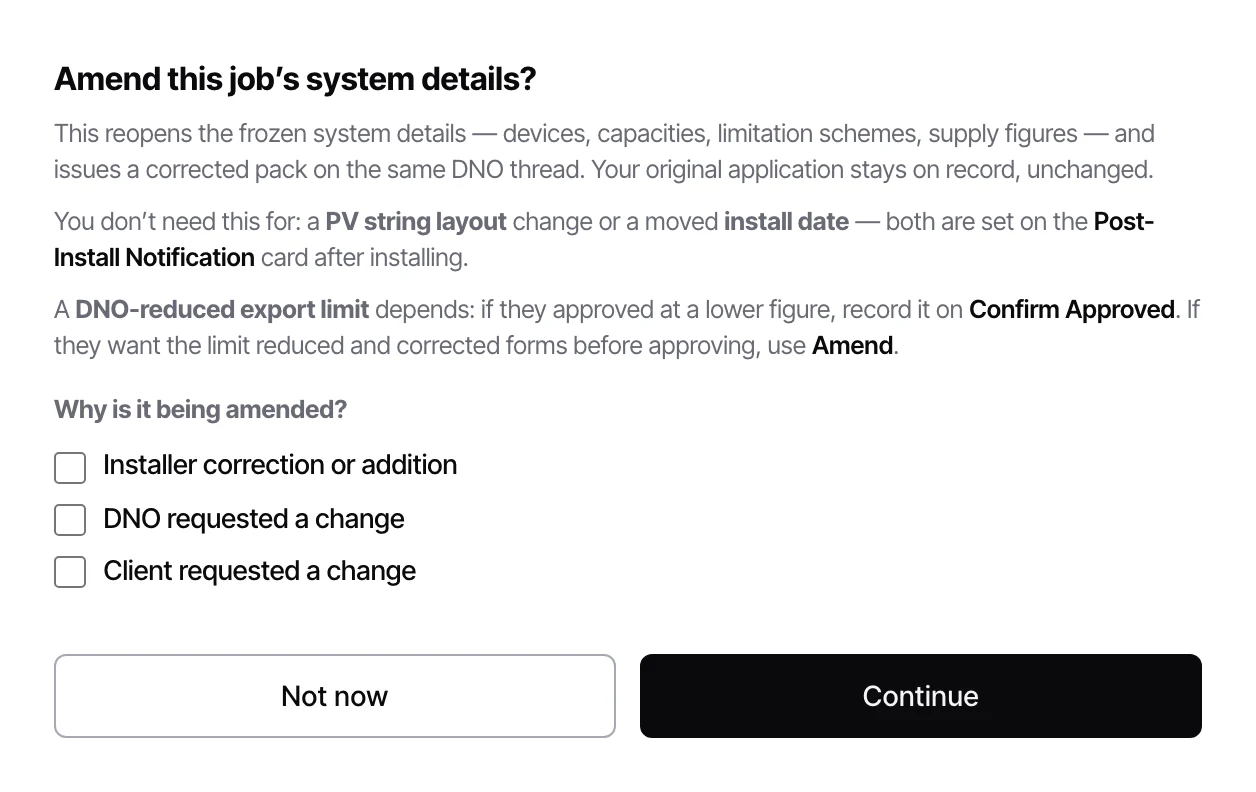
When a DNO comes back asking for a lower export limit, a different inverter or corrected forms before they will approve, you don't start again. Press Amend on the job, pick a reason, and the system details reopen already filled in. Change the export limit or the inverter, CLRD generates the new SLD in one click, and sends only the documents that changed back on the same DNO thread. About a minute, start to sent.
Why it matters
Starting over means a second application, the whole pack rebuilt, and a new email landing at the DNO with none of the history attached. Amending keeps it as one job, one reference and one thread, so the DNO picks up exactly where they left off. What you filed first stays on record, so you can always show what they were answering.
For when the DNO wants changes before they approve.
- Amend the job the DNO already has, not a copy of it.
- Pick a reason: installer correction, DNO request or client request.
- The system details reopen filled in. Change the export limit or swap the inverter in a couple of clicks.
- One click generates the new SLD from the updated details.
- Only the changed documents go, led by a letter listing what moved.
- G100 Form A is added automatically when the new limit needs a scheme.
- Asked for a loop impedance reading instead? Press Amend, record it, and it goes back on the same thread.
- Would rather limit export to 16 A per phase (3.68 kW for a single phase inverter) or file as Type A instead? Press Amend and it is one click.
- Already approved at a lower limit? No amendment needed. Just record the granted figure on the job.
 Enlarge
In practice
What changes on the next job.
One job, one reference
Same job, same DNO reference, same contact address. It never looks like a second application.
Your original stays on record
What you filed first is kept, not overwritten, so you can always show what the DNO was answering.
Only what changed
CLRD compares the two versions and sends the documents that moved, not the whole pack again.
G100 taken care of
Declare a scheme for the new limit and Form A goes with the amendment. Form C follows at commissioning.
Same thread
It goes as a reply to your original submission, so it lands in the case the DNO already has open.
No extra credit
Amending doesn't use a job credit. It is the same application, corrected.
Before & after
With CLRD vs. without.
See connection offers and export limits on your own jobs.
Run one of your own installs through it free. Or book twenty minutes and we'll do it with you.
First job free. No card to start.