How it works
Your DNO application in six steps. Under three minutes.
The same workflow every time, whether it's a single residential install or your two thousandth dwelling on a national framework. Enter the job once. CLRD routes it deterministically, builds the pack, submits it and closes it out.
The product
One outcome: a compliant DNO application pack, generated deterministically.
Everything in the six steps below, and every feature on this site, exists to produce one artefact: a submission ready DNO pack for your job, built the same way every time.
 Enlarge
- 01
Create the job
Every job starts the same way, whether it's one survey or a whole phase of a project.
Address, customer name, MPAN, validated as you type. CLRD identifies the DNO from it. Thirty seconds and the job exists. At volume nothing gets typed at all: your CRM creates jobs over the API, or one multi premise batch fans out into a standalone job per premises.
Step 01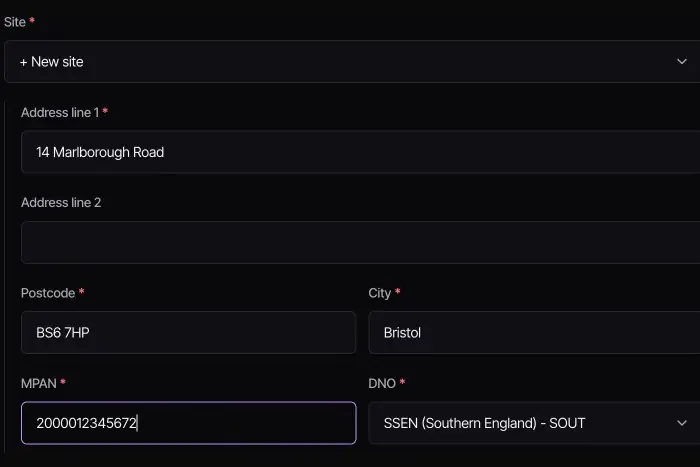 Enlarge
 - 02
Enter the job details
Phase, kW, batteries, load, export. Captured once, and every routing decision is derived from it.
Pick equipment from the integrated ENA registers: inverters, batteries, EV charge points and heat pumps. No retyping, no PDF hunting, no wondering whether a model is approved. Where an inverter's Intrinsic Design Capacity is above its Registered Capacity, CLRD fills it in: we analysed over 4,000 datasheets and checked every figure by hand, because IDC decides between G98 and G99. Set an export limit where the job needs one. CLRD covers domestic and small commercial systems, up to 50 kW three phase or 17 kW single phase.
Step 02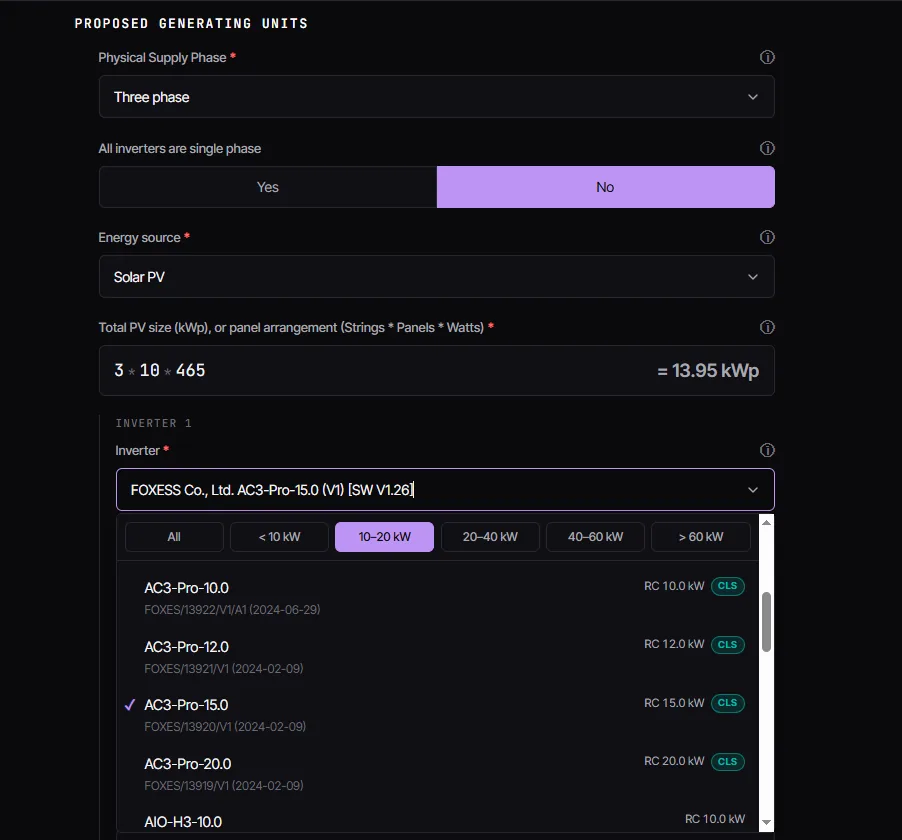 Enlarge
 - 03
CLRD routes it deterministically
The decision that used to depend on who was doing it. Now it doesn't.
We route deterministically to the right DNO and the right form, G98 or G99 including the Fast Track procedures, using the ENA thresholds coded into the routing engine. G100 evidence travels with the pack wherever export limiting applies. Then we tell you why that route was chosen, not just what it was.
Step 03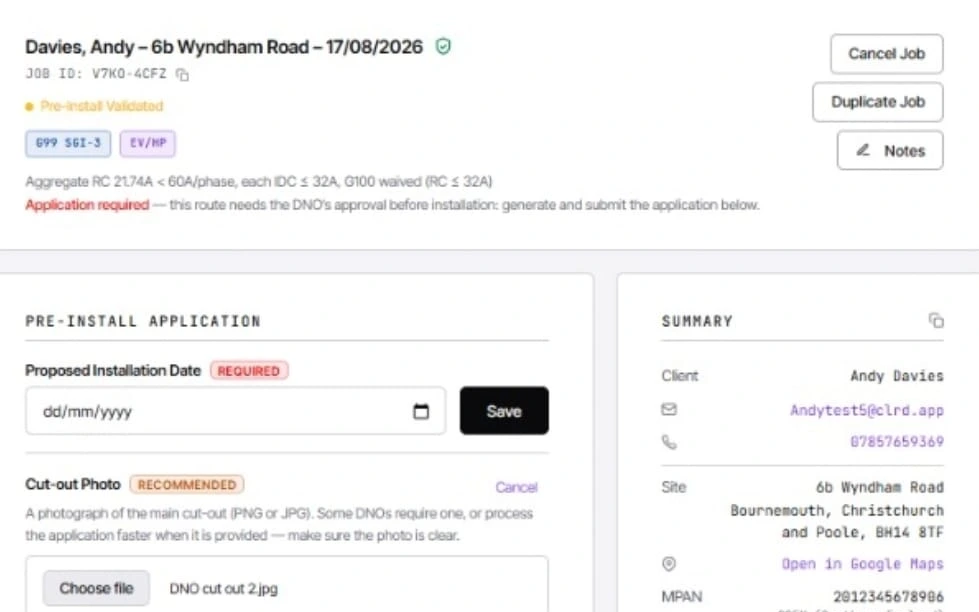 Enlarge
 - 04
Add the evidence, generate the pack
The parts only you can supply. Everything else is already done.
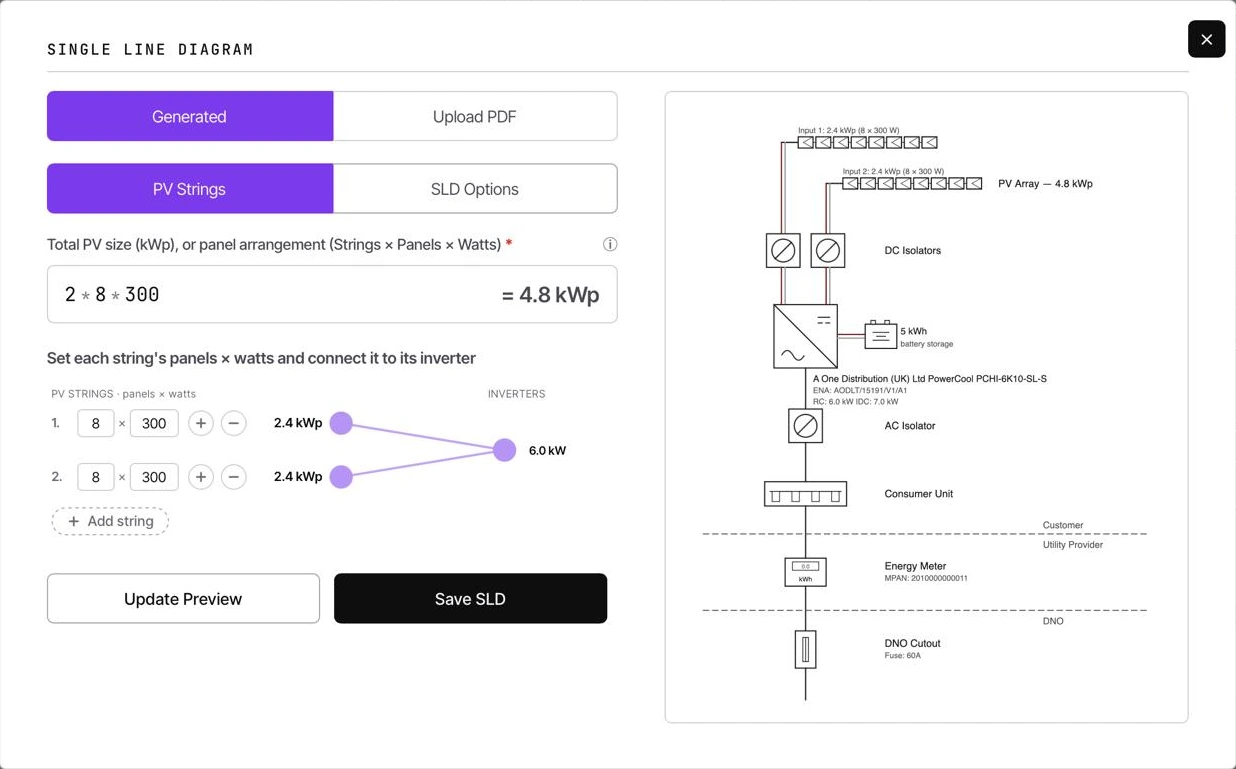
Set the installation date and generate the configurable SLD with one click. Upload the cut-out photograph and draw the boundary on the interactive map, placing the meter where it sits. The client signs in the app, by uploaded signature, or through a secure link sent to them. Record the loop impedance readings where the DNO asks for them, then generate the pack.
Step 04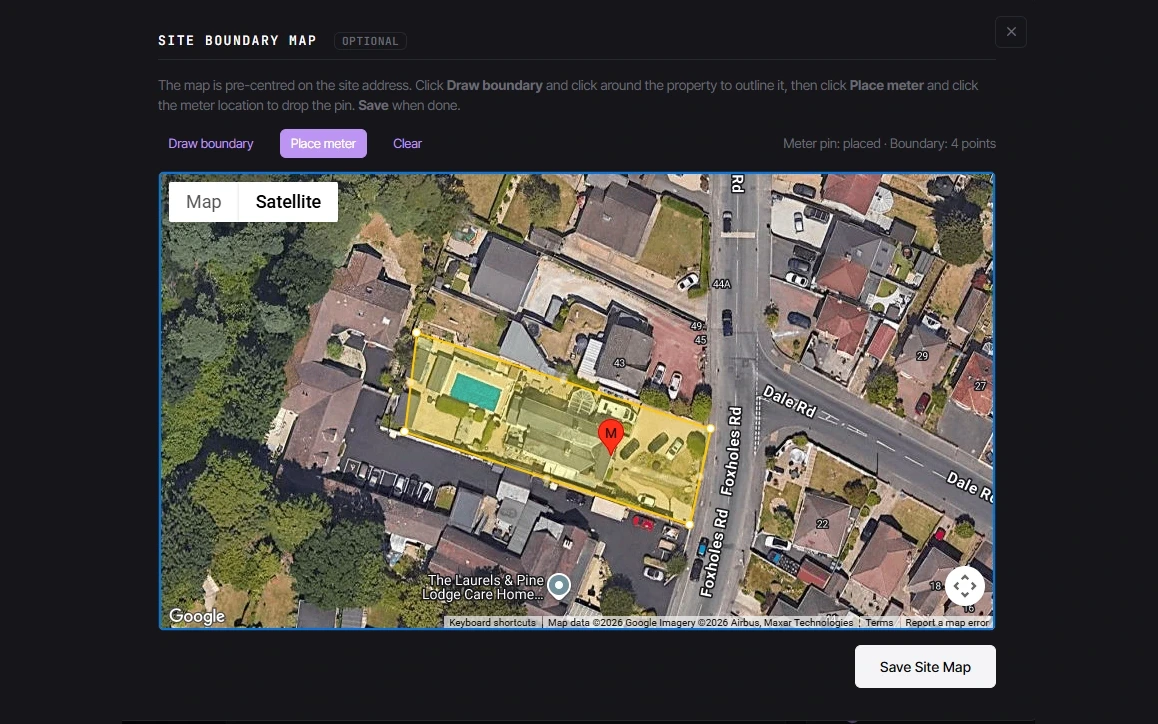 Enlarge
 - 05
Review and submit
You stay in control. Nothing leaves the platform unless you say so.
Read the pack over, then submit it to the DNO from the platform, with the pack there to download if you want your own copy. Replies from every DNO land in the same place, and when the approval letter arrives CLRD reads it, with coded rules rather than AI: the job says the DNO has approved, the reference and any export limit are filled in for you to confirm, and once you have, one click sends the letter to your client. Every submission is stored on the dashboard, who sent what and under which rule version, visible to your team at the level their role allows, and all of it extracts for audit. If the DNO asks for a change, amend the application on the same job: only the changed documents go, as a reply on the same thread, and the original stays on file.
Step 05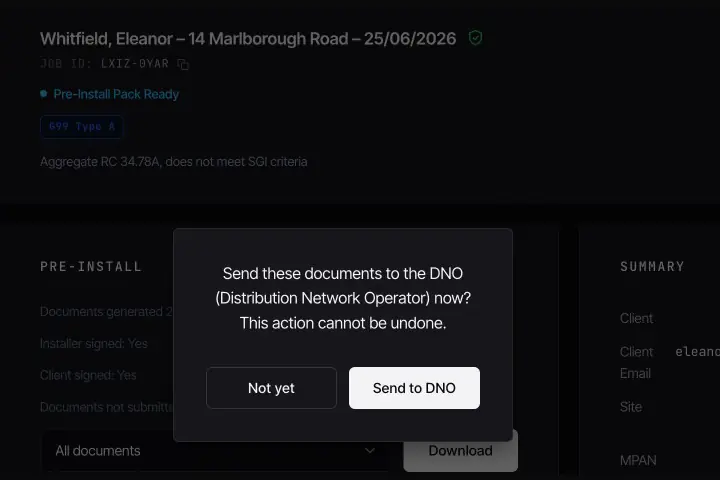 Enlarge
 - 06
Commission and close out
The install is done. The compliance isn't.
After the install, CLRD produces the post install forms and walks the real commissioning checklist. Any changes at the time of install are recorded here, so the forms match what was actually built. The engineer who did the work signs by secure link, it comes back into the platform, and whoever runs the admin closes the job out.
Step 06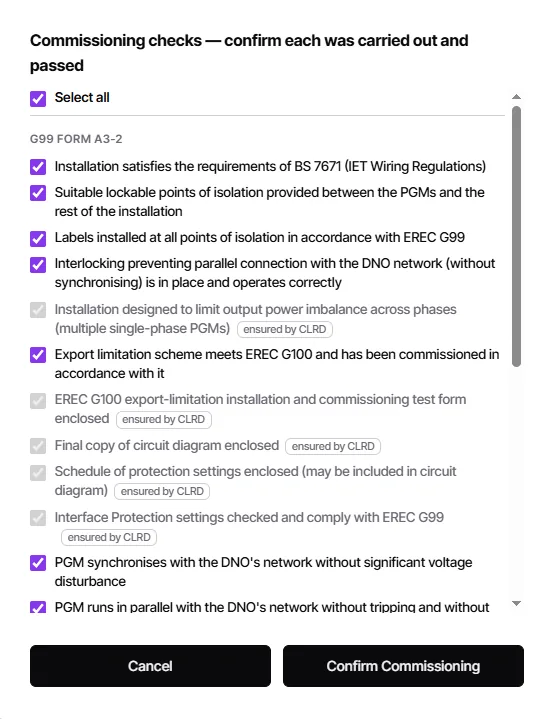 Enlarge
Why this matters
The same job, two very different days.
See it on your own job.
Bring a real address. We'll route it, pack it and show you the audit trail in 20 minutes.