Learn
Get up and running, no demo required.
Everything you need to use CLRD confidently: a getting started guide, a full walkthrough video, downloads and FAQs. Built so a brand new installer can land here and be submitting by the end of the day.
Getting started
Your first job on CLRD.
A six step path from sign up to your first DNO submission.
- 01
Create your account
Sign up at clrd.app and verify your email. Self serve, or we can set it up with you on a demo.
- 02
Add your details
Your company, your team, and your MCS number if you have one. CLRD covers solar and battery installs up to 1 MW three phase, and EV charger and heat pump installs up to 50 kW.
- 03
Create your first job
Enter the site and install details. CLRD walks you through every field and explains why it asks.
- 04
Let CLRD route and build the pack
It picks the right route (G98 or G99, with G100 and the loop impedance form or statement attached where they apply), draws the SLD and assembles the pack, showing its reasoning.
- 05
Review and submit
Check it over, then submit straight from the platform. The pack is there to download whenever you need a copy.
- 06
Commission and close out
After the install, CLRD produces the post install forms and walks the commissioning checklist, signed by whoever carried out the work.
Video tutorial
Watch a full job, start to finish.
One walkthrough, no fluff: log in, create a job and submit it to the DNO, the whole thing end to end.
A full walkthrough, start to finish
Log in, create a job and submit it to the DNO. The whole thing, end to end.
Downloads
Guides and a real DNO sample pack.
Two one page guides you can open in the browser, plus a real anonymised DNO submission pack so you can see exactly what CLRD outputs before you sign up.
 Enlarge
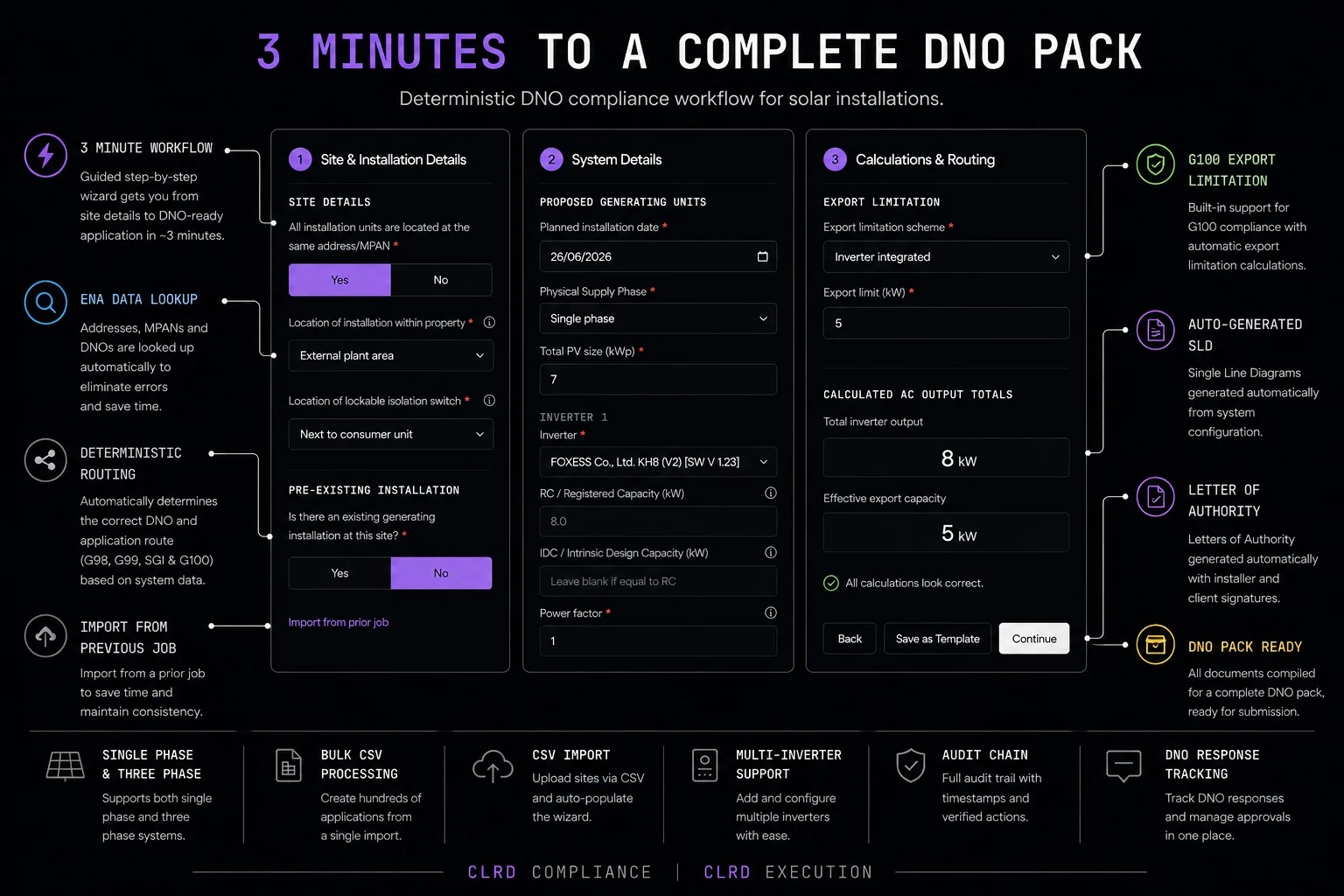
CLRD workflow guide
The full deterministic workflow on one page: site details to a DNO ready pack in about four minutes.
 Enlarge
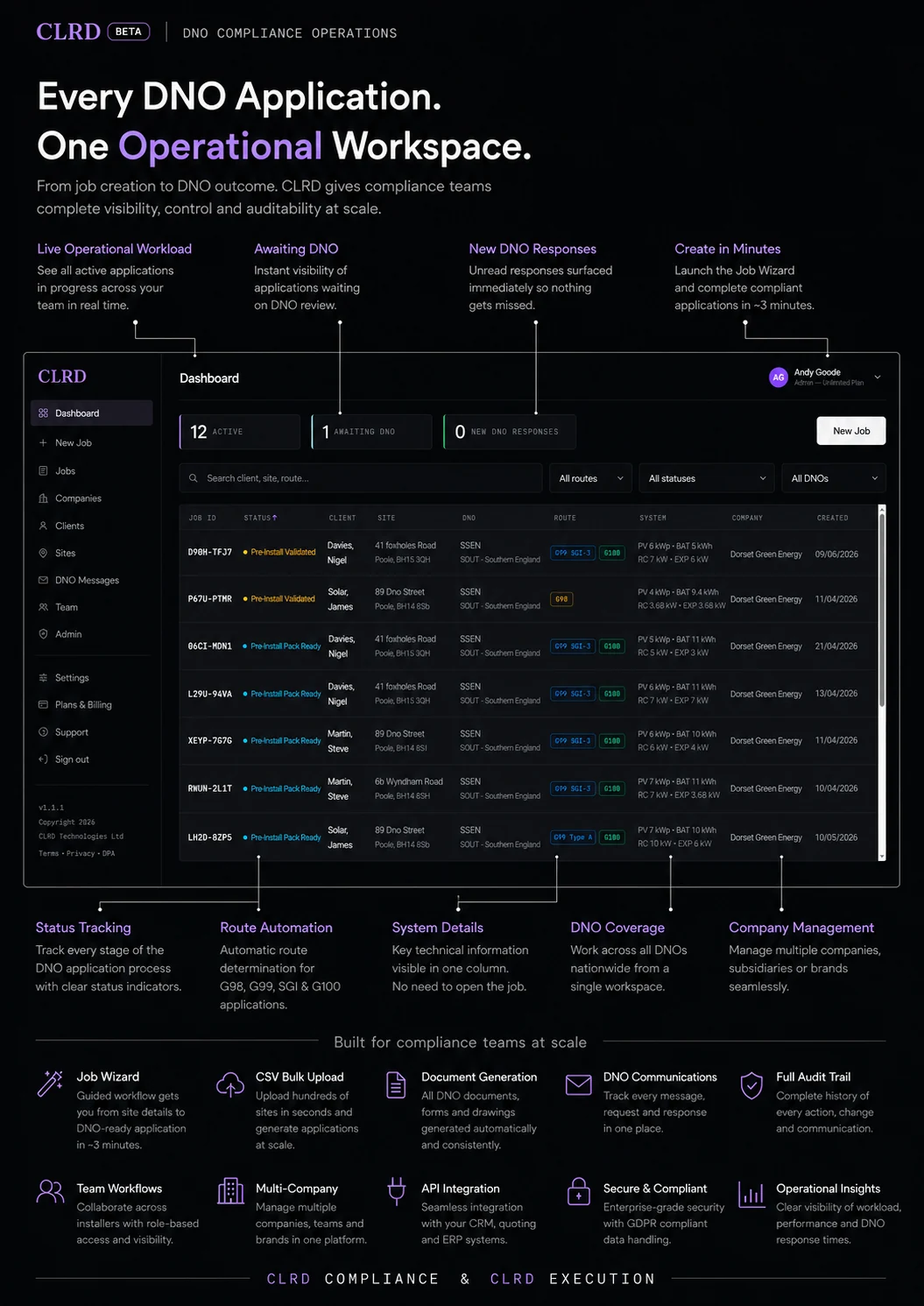
CLRD dashboard guide
A tour of the operational workspace: every DNO application tracked and routed in one place.
Sample DNO submission pack
A real, anonymised pack generated by CLRD. Exactly what lands on the DNO's desk. This is the sample pack linked from every solution page.
Download ZIPFAQ
Quick answers. No waiting on a call.
Do I need to be an MCS installer to use CLRD?+
Which DNOs does CLRD cover?+
Can I keep using my existing CRM?+
How long does onboarding take?+
Is my data secure?+
Do I need to know G98, G99 and G100 in detail?+
How do I get help if I'm stuck?+
Still need a hand?
We're a message away.
User support
support at clrd.app
Already using CLRD? A human reads every message, usually replying the same working day.
General questions
info at clrd.uk
Not started yet? Ask us anything before you sign up.
Phone
033560 2021 44+
Prefer to talk? Call Monday to Friday. Our WhatsApp number and every other line are on the contact page.
Prefer a guided tour?
A 20-minute demo walks through the bits that matter most for your business.